Three-state classification
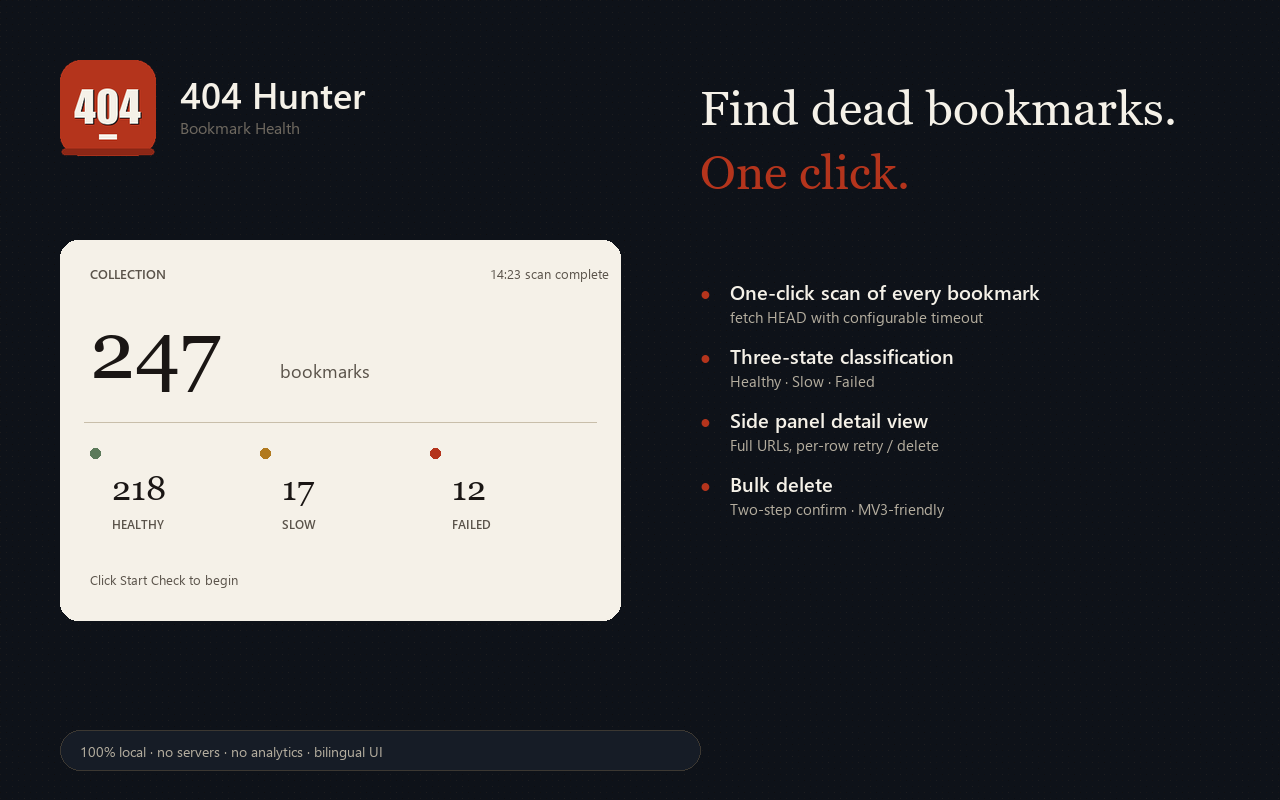
Every bookmark is HEAD-checked with a configurable timeout, then sorted into Healthy, Slow, or Failed — no more guessing.
v1.0.0 · MV3 · Bilingual
404 Hunter audits every saved bookmark in one click. HEAD-checks each URL, classifies it as Healthy, Slow, or Failed, and lets you bulk-remove the dead ones.
What it does
Every bookmark is HEAD-checked with a configurable timeout, then sorted into Healthy, Slow, or Failed — no more guessing.
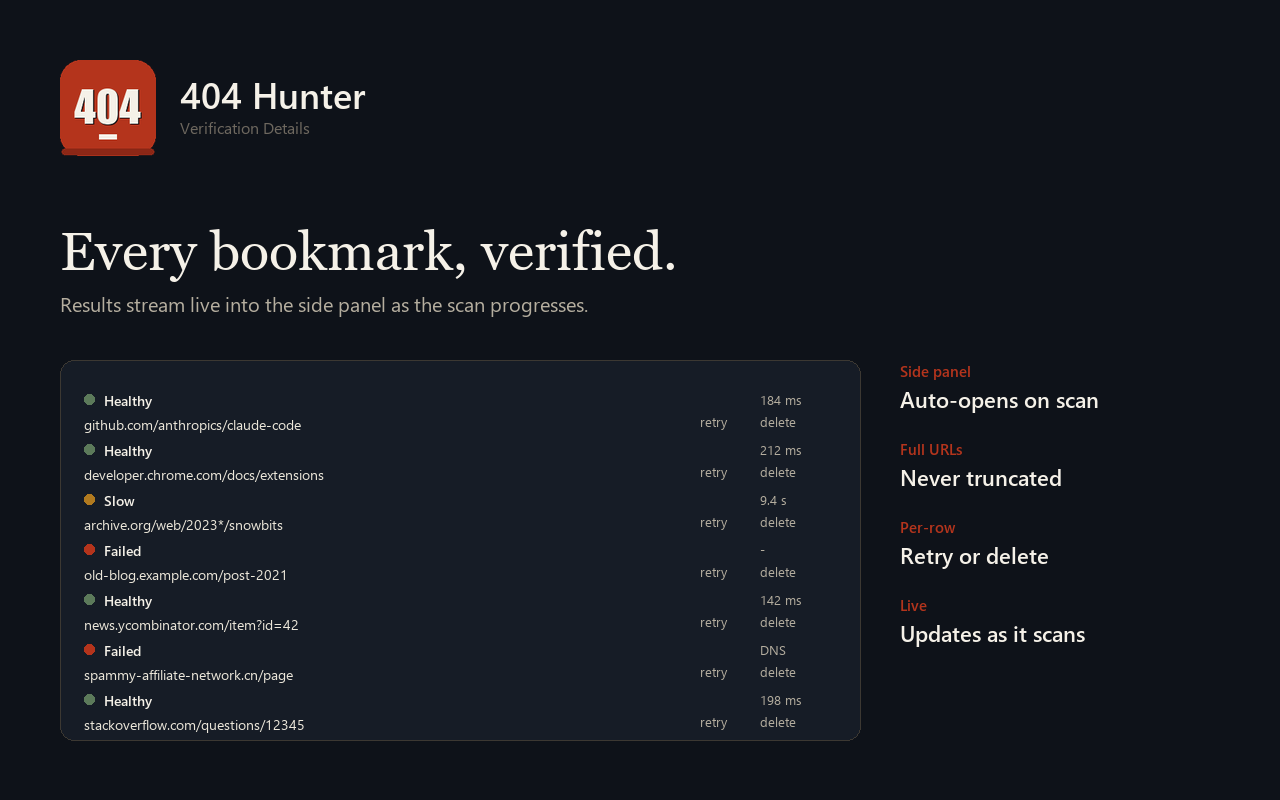
Real-time stats in the popup, full URLs (never truncated) and per-row retry / delete in the side panel.
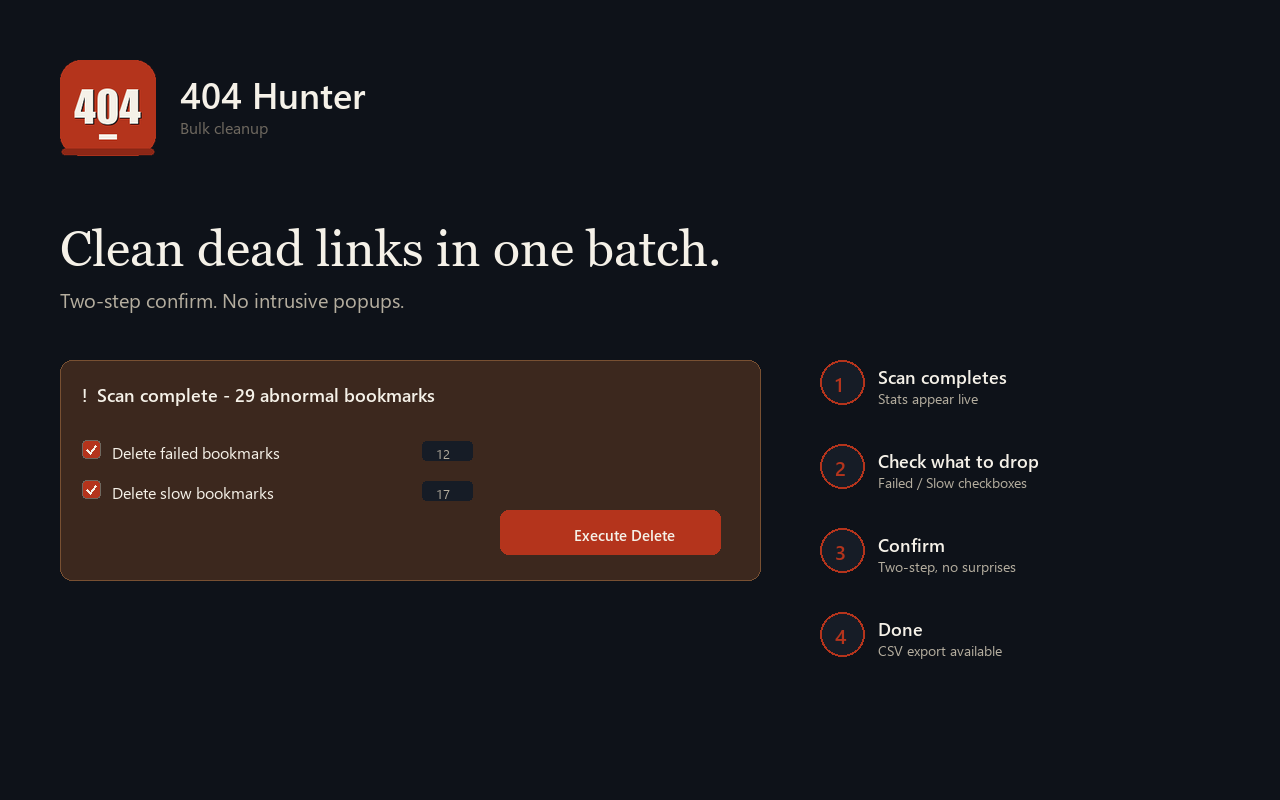
Pick "Delete failed bookmarks" and "Delete slow bookmarks", confirm once, done. Two-step confirm avoids MV3-unfriendly window.confirm.
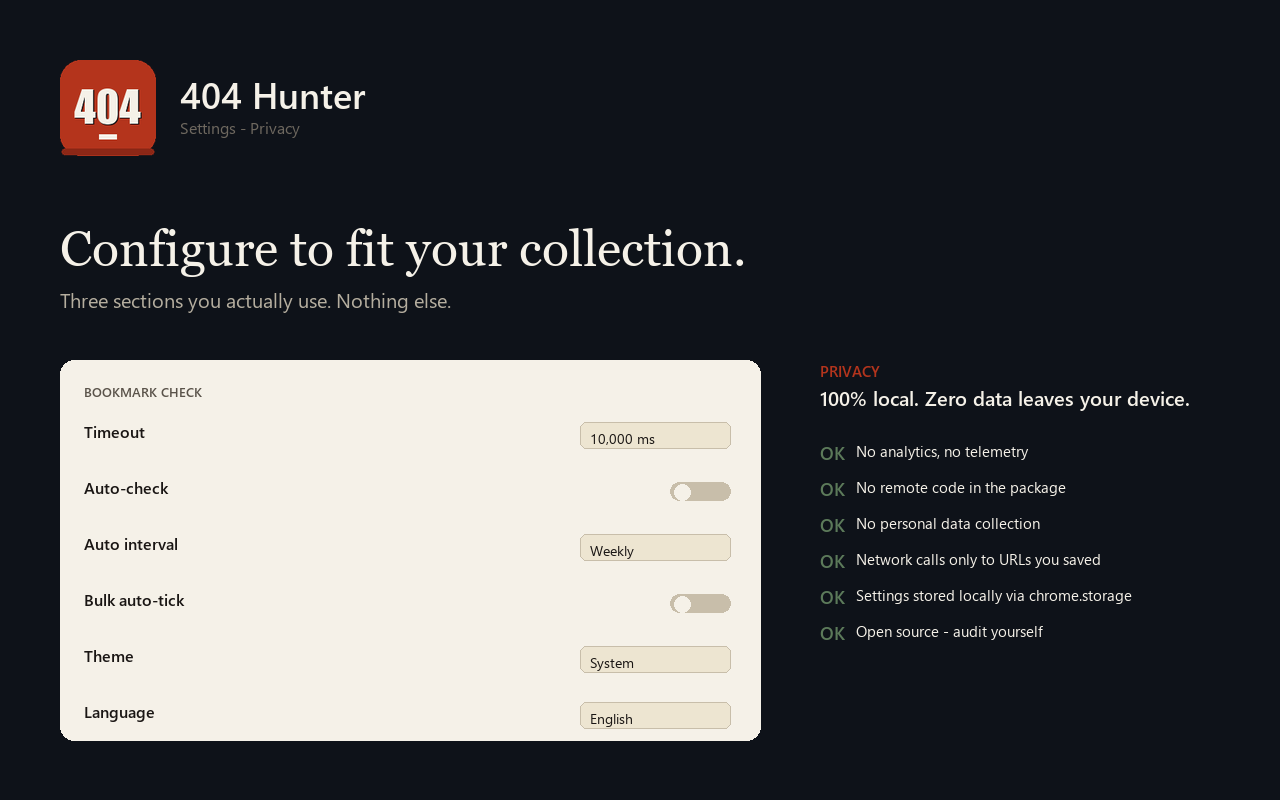
中文 / English with auto-detect. Token-based theming with Light, Dark, and Follow-system modes. Anti-FOUC on every page.
Download the full scan as a CSV — title, URL, status, response time — for further auditing or sharing.
Only contacts URLs from your own bookmark list. No analytics, no telemetry, no remote code. Everything stays in chrome.storage.
Screenshots
How it works
Pick your browser above. Chrome / Edge installs from the Web Store; Firefox from AMO.
Click the 404 Hunter icon. Press Start Check. The popup hero shows total bookmarks.
Live counts stream into the popup. The side panel opens automatically with per-bookmark details.
Tick "Delete failed bookmarks" or "Delete slow bookmarks", confirm. Done.
Privacy
No analytics, no telemetry, no third-party scripts.
No remote code — everything ships in the package you install.
No personal data collection of any kind.
Network calls only to the URLs you saved in your bookmarks.
Settings stored locally via chrome.storage / browser.storage.
Open source under MIT — audit yourself.